
PVE镜像模板制作
本文整理 PVE 镜像模板的完整制作流程,供管理员和运维人员按步骤准备可用于业务系统的系统模板。
一、功能介绍
制作PVE镜像模板用于V10拉去系统
二、系统模板制作
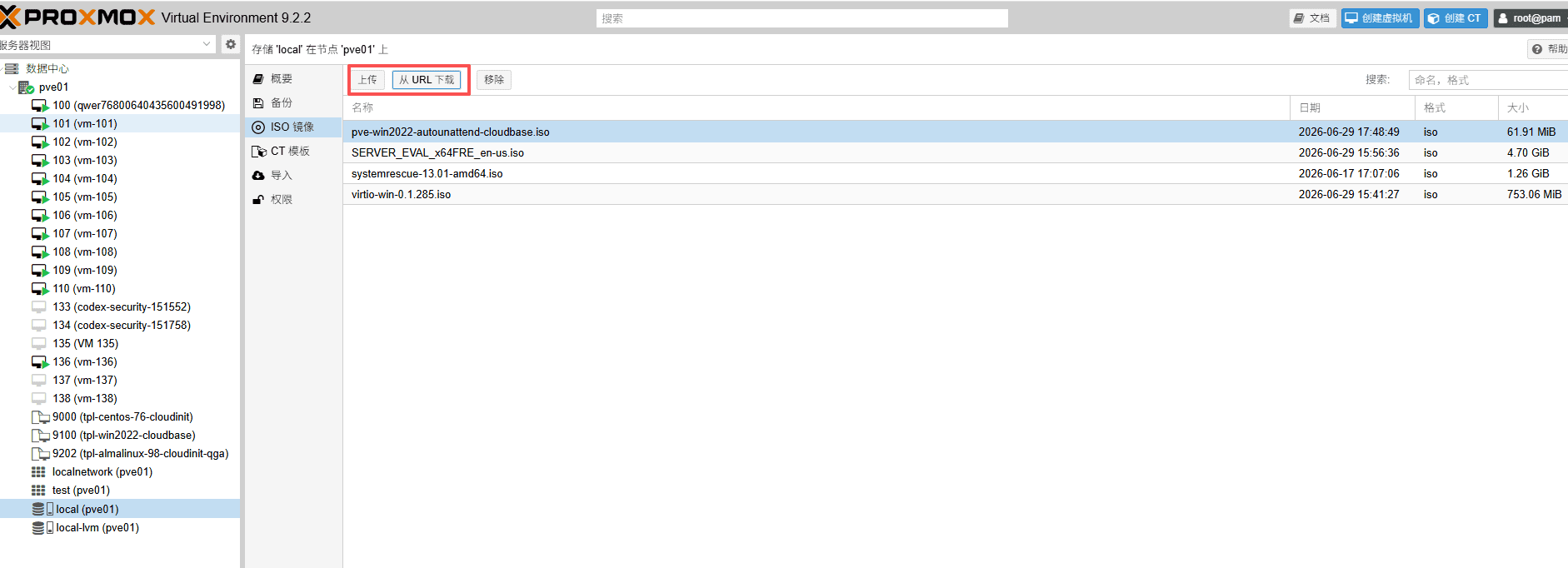
1. 上传或下载 ISO 镜像
2. 创建虚拟机
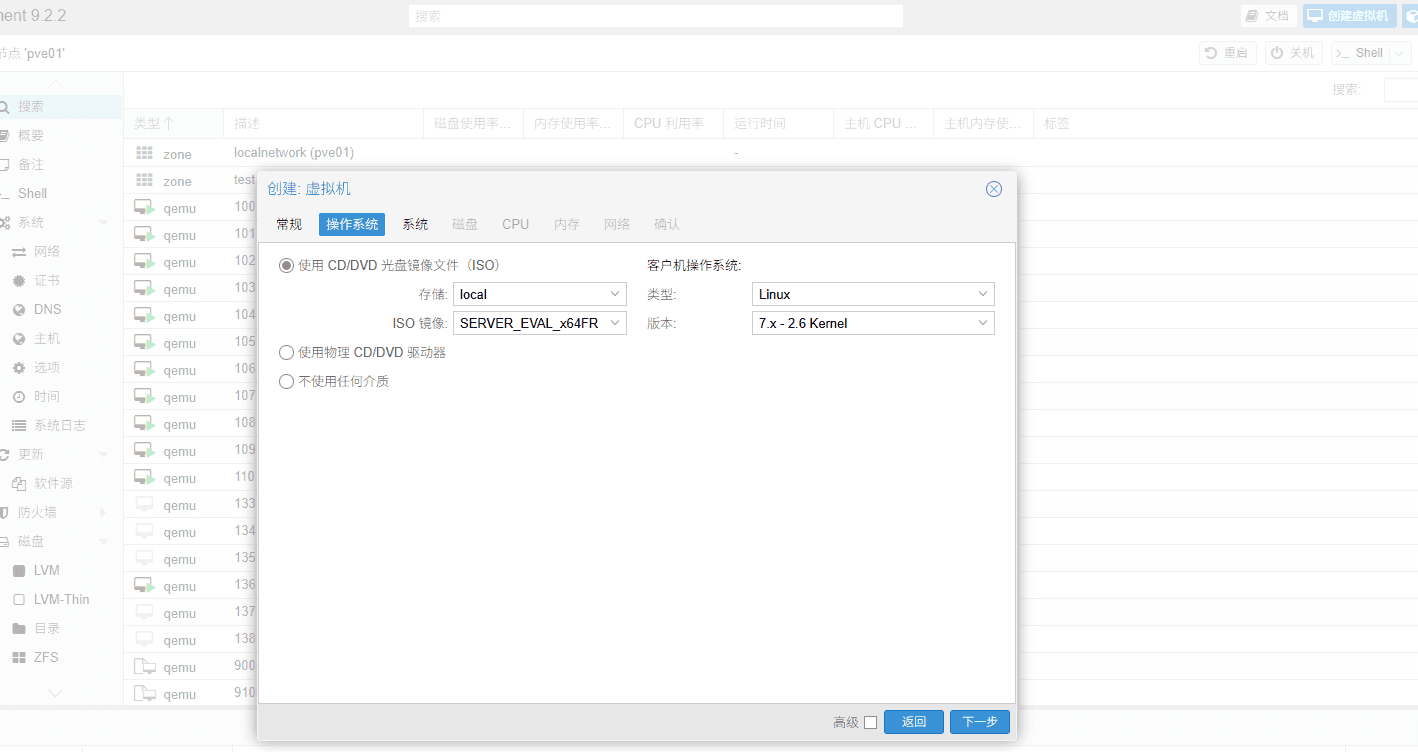
点击创建虚拟机,选择对应镜像进行安装。
三、镜像制作
也可以直接下载云版本镜像并忽略该步骤。
Windows 镜像制作
1、正常安装windows_server 版本,
2、登录系统,下载 cloudbase-init 和 qemu-guest-agent,并按默认选项安装。下载地址:
http://mirror.cloud.idcsmart.com/cloud/images/init-tools/CloudbaseInitSetup_1_1_2_x64.msi
http://mirror.cloud.idcsmart.com/cloud/images/init-tools/qemu-ga-x86_64.msi
3、将下面两个配置文件下载并放置到镜像目录:
C:\Program Files\Cloudbase Solutions\Cloudbase-Init\conf配置文件下载地址:
http://mirror.cloud.idcsmart.com/cloud/images/init-tools/cloudbase-init.conf
http://mirror.cloud.idcsmart.com/cloud/images/init-tools/cloudbase-init-unattend.conf
4、关闭防火墙
5、关机,制作完成,得到的qcow2就是云镜像;
Linux 镜像制作
使用官方标准ISO安装(linux系统有很多,命令各不相同 但一定要安装的组件 sfdisk growpart cloud-init qemu-guest-agent)
根据需要关闭软件(不同系统不同命令): (CentOS请一定关闭SElinux),NetworkManager,iptables,firewalld
安装必须的工具(不同系统不同命令): cloud-init, qemu-guest-agent
根据需要安装软件,比如以下软件(不同系统不同命令): vim, curl, wget, net-tools
1、系统安装要求:
最小化、上海时区、语言英文、关闭kdump、不锁定root、不禁止root密码登录
2、关闭防火墙
systemctl stop firewalld
systemctl disable firewalld
sed -i '/^SELINUX=/ s/enforcing/disabled/g' /etc/selinux/config
3、设置时区
timedatectl set-timezone Asia/Shanghai4、安装云相关组件及附件组件
dnf install util-linux cloud-utils-growpart -y
dnf install qemu-guest-agent cloud-init -y

dnf install vim curl wget net-tools chrony -y
5、配置下列文件中的选项:
/etc/ssh/sshd_config将下列选项取消注释并设为 yes:
PermitRootLogin yes
PasswordAuthentication yes
Ubuntu 还需执行:
rm /etc/ssh/sshd_config.d/* -rf6、编辑 cloud-init 配置文件:
/etc/cloud/cloud.conf将 disable_root 设为 0、ssh_pwauth 设为 1,并将默认用户改为 root、取消密码锁定:
disable_root: 0
ssh_pwauth: 1
system_info:
  default_user:
    name: root
    lock_passwd: false
    gecos: Cloud User
    groups: [adm, systemd-journal]
    sudo: ["ALL=(ALL) NOPASSWD:ALL"]
    shell: /bin/bash
  distro: rhel
  paths:
    cloud_dir: /var/lib/cloud
    templates_dir: /etc/cloud/templates
  ssh_svcname: sshd
7、清理镜像
CentOS 需清除多余网卡配置,但必须保留 ifcfg-lo。需检查的文件路径模式:
/etc/sysconfig/network-scripts/ifcfg-<网卡名称>清理 root 目录:
rm ~/*清理 history:
rm ~/.bash_history && history -c四、创建模板
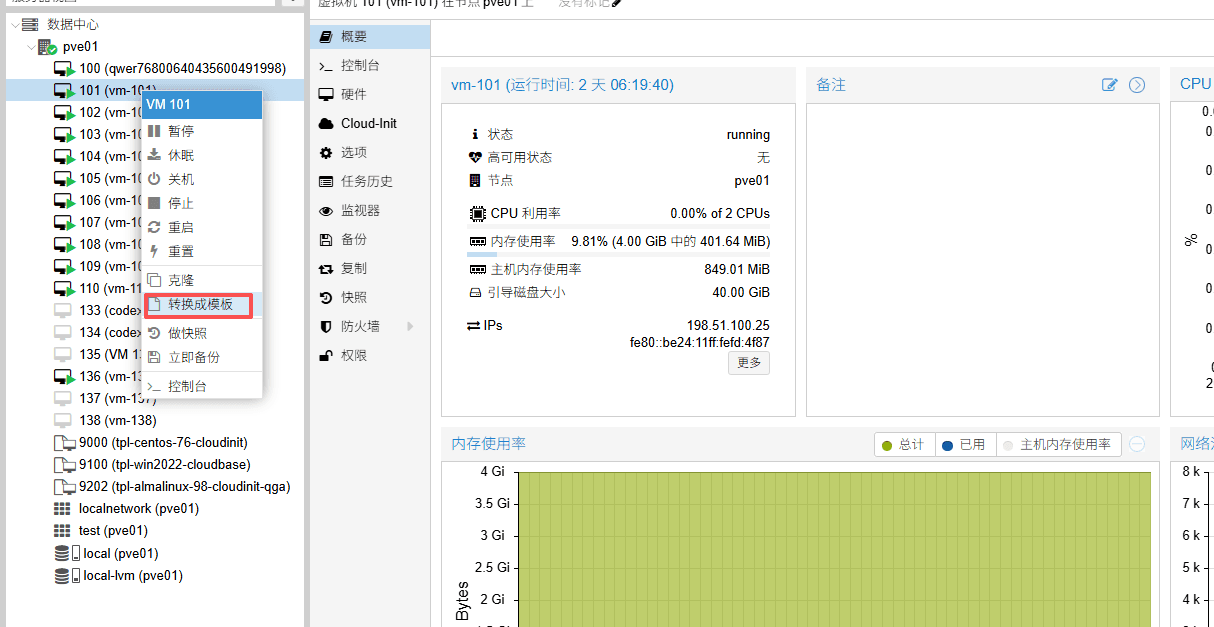
在之前创建的虚拟机右键转换模板
制作完成后,即可投入使用。